

TravelingForMiles.com may receive commission from card issuers. Some or all of the card offers that appear on TravelingForMiles.com are from advertisers and may impact how and where card products appear on the site. TravelingForMiles.com does not include all card companies or all available card offers.
Bangkok Airways isn’t an airline we cover much (or ever) on TFM and that has a lot to do with the fact that I have never flown with the airline. That, however, will be changing, and as I’ve just booked a Bangkok Airways flight, I thought I’d share three tips that I picked up as I went through the booking process (a few times!)
What to do when your card payment fails
This may seem like an odd thing to lead with given that this doesn’t sound like an issue that a lot of people may have, but the internet suggests otherwise.
One of the first things that I noticed when I went to pay for a booking was that the Bangkok Airways site doesn’t accept American Express.
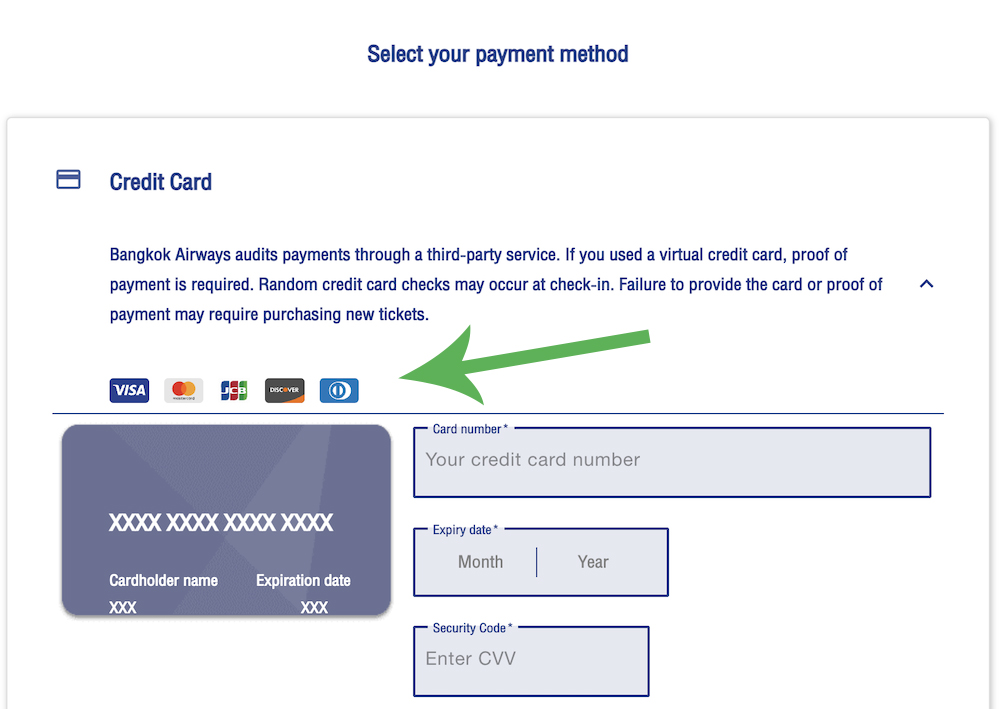
I had been planning to use my Platinum Card® from American Express to make the booking as I wanted to make the most of the trip protections that card offers, but in the grand scheme of things, this wasn’t a big deal.
The protections I get from my Ritz-Carlton™️ credit card are, essentially, just as good, so it was that card’s details that I entered on the airline’s payment screen.
After entering my billing address and confirming that I was happy to pay, there was a pause while some processing went on in the background, and then a “payment failed” message appeared on the screen.
I retried the process with the same card and ended up with the same result.
That was annoying, but I couldn’t be bothered to call Chase to see what was going on, so I reached for another card (the Ink Business Preferred® card) and tried that.
Same issue!
Time to try a third card, so up to the plate stepped the Chase Sapphire Preferred® card and, moments later, the payment failed again.
Now I was worried. These were all Chase cards that were failing so called up the bank as quickly as I could only to find out that there wasn’t anything wrong with any of my cards.
A quick web search (“Bangkok Airways credit card payment issues” or something like that) and discovered (via Reddit) that I wasn’t the only one who has had this happen. This happens reasonably often.
Apparently, the Bangkok Airways payment processor can have issues verifying a foreign billing address and the issue appears most often when payment is being made with a Visa card.
Bingo!
As far as Bangkok Airways is concerned, I have a foreign billing address, and all three cards that I had attempted to use to pay were Visa cards. That had to be the problem.
The solution? Use a Mastercard.
I picked out a Mastercard from my credit card collection and with my Citi Strata Premier® card details entered, I attempted to pay for the fourth time … and it worked.
The payment went through without issues and I had my ticket number and confirmation moments later.
Tip: If you’re having trouble paying for a Bangkok Airways fare and you’re paying with a Visa card, try using a Mastercard. That could circumvent the issue.
Note: I made a separate booking about 12 hours later and tried using my Ritz-Carlton™️ credit card again to see what would happen, and the payment went through just fine. This is an intermittent error.
The cost of the fare may appear to rise for no reason
In a way, this is linked to what I’ve just discussed as it can appear when a payment fails or when you abandon a booking and start all over again.
There will be times when there are only a very limited number of seats for which Bangkok Airways is prepared to offer the fare that you’re seeing on your screen and as you proceed through your booking and move to the payment screen, the airline will remove the seats relating to your booking from its inventory.
So, if you’re booking 2 tickets on a route where the lowest fare is only available on 2 seats (a frequent occurrence on Bangkok Airways), those two seats will come out of the airline’s inventory and be allocated to you as you proceed to the payment page.
Anyone trying to make the same booking shortly after you, will not see those two seats available and will only see the next price level up.
Most people never get a chance to see this in action as they pay for their fare and go on their way, but if you happen to have an issue while booking (your payment fails or the site crashes) and you have to start from the beginning of the booking process, you may well see a higher fare being quoted.
Why? Because the inventory system hasn’t yet figured out that you’ve had an issue and it’s still holding the original two tickets you selected and is waiting for you to pay.
This can happen on other airlines too, but my experience suggests that Bangkok Airways can take longer than most to return abandoned fares to inventory.
Here’s what this looks like in action.
In these images, you can see Bangkok Airways is willing to sell 2 seats between Bangkok and Siem Reap on 14 March 2027 for a total cost of THB7,440. This was a dummy booking that I made.
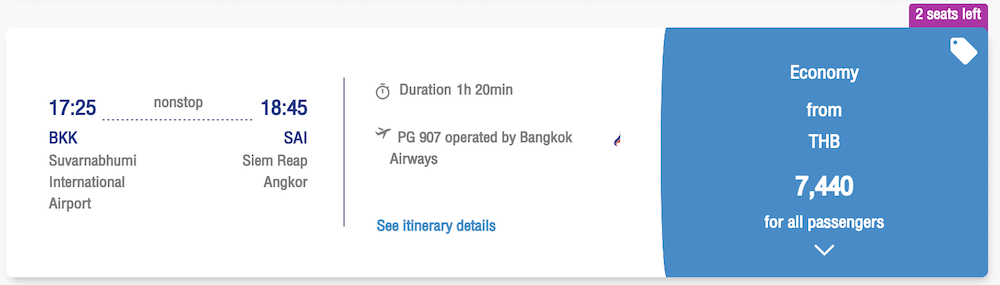
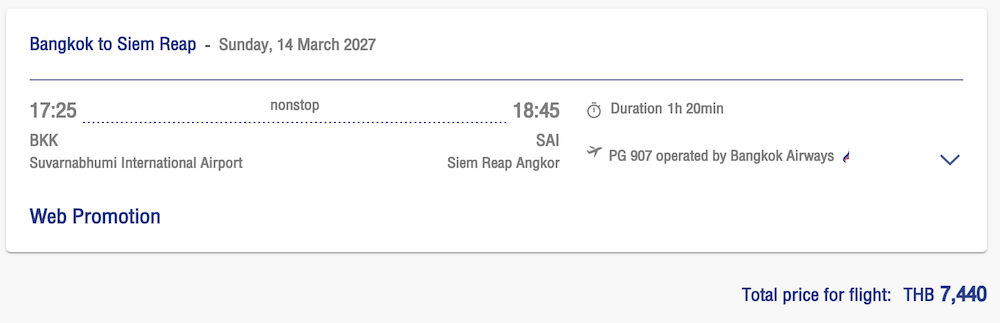
I then abandoned my purchase just before reaching the payment screen, I went back to the homepage, and searched for the same flights again.
This time, there were 7 seats available at the asking price, but the price had risen.
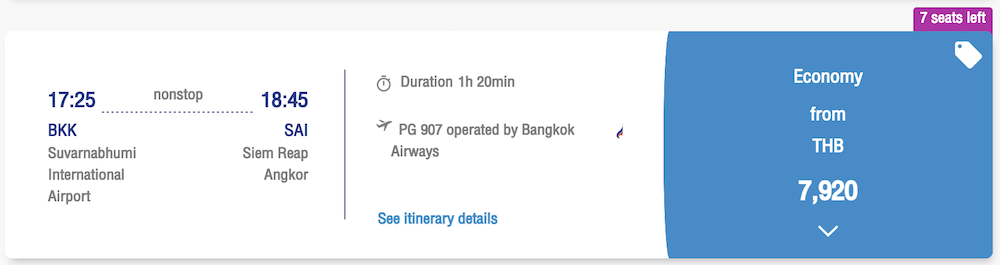
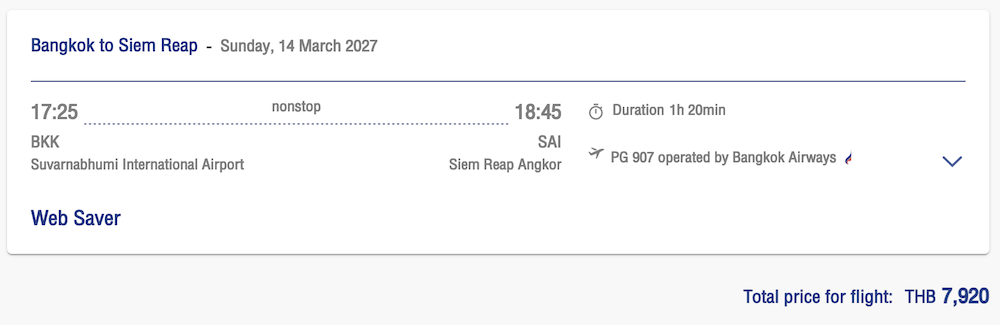
Why? Because the two seats I had abandoned moments earlier were still being held by the system and I was now seeing the next best deal.
A little over 30 minutes later, those two seats were released back into the airline’s inventory and the price dropped back to THB7,440.
As I said, this can happen on any airline as all airlines set their fares in a similar way (they decide how many seats they are are prepared to sell at each price level), but where most airlines that I’ve dealt with will release abandoned inventory very, very quickly (often before I’ve had a chance to re-run my search), Bangkok Airways seems to take a bit longer.
Tip: If your booking fails, you start the process from the beginning, and you find the price has risen, it may be because your original seats are still being held by the system. Wait a while (if you can) and you may find that the seats are returned and you can book at the original (lower) price.
Make sure you book in the local currency
This is a newbie tip.
The Bangkok Airways website defaults to charging in the local currency (Thai Baht if you’re flying out of Thailand, Singapore Dollars if you’re flying out of Singapore, etc…), but there are at least two opportunities during the booking process for you to change this to the currency of your choice – once while you’re pricing up the fares and once on the payment page.
Leave this setting alone!
Here’s a trip priced up in Thai Baht (the local currency for this trip) and you should be able to see that it cost THB7,440.
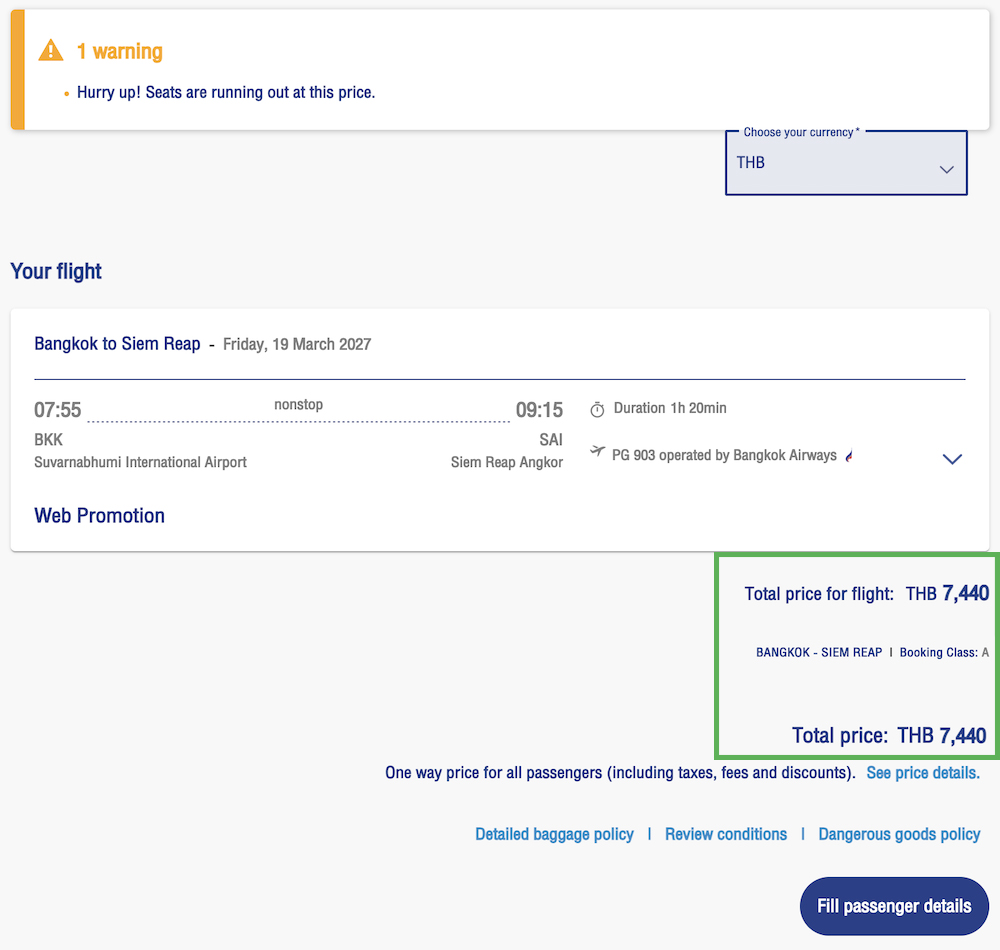
And here’s the same trip priced up in US dollars after I changed the setting in the top left of the screen.
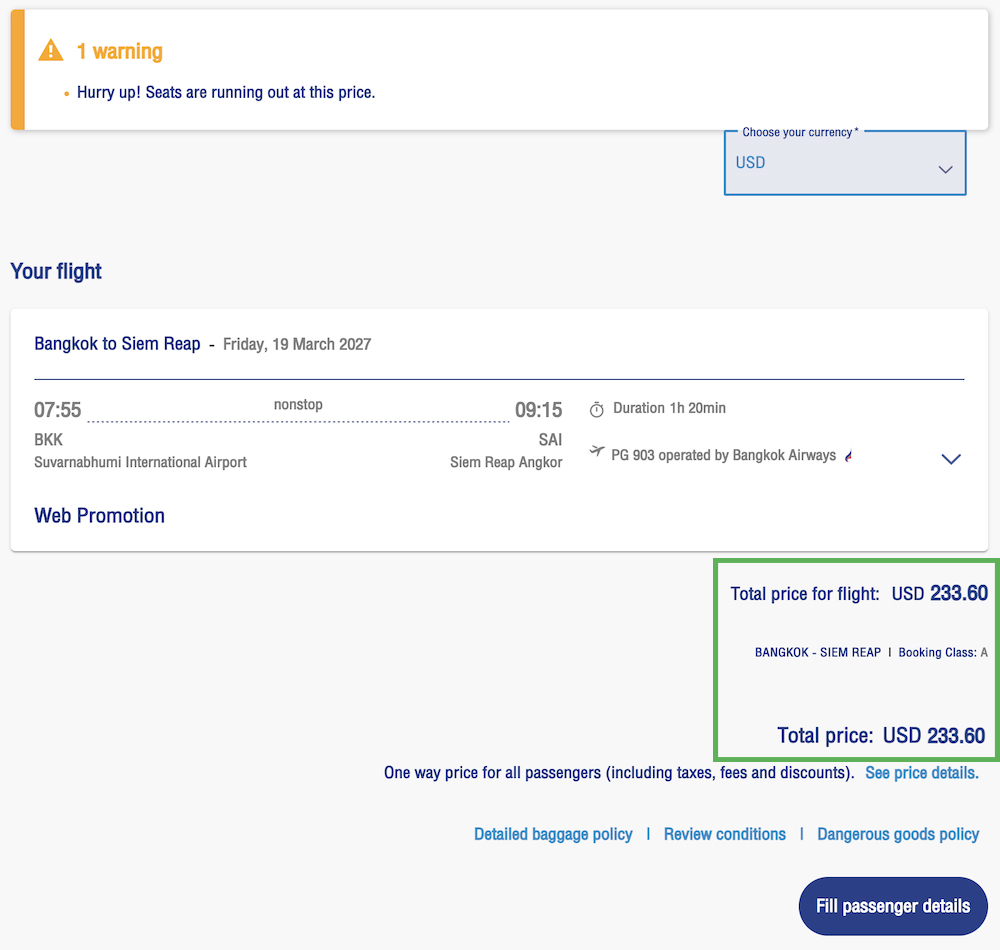
The conversion rate applied by the Bangkok Airways site was 31.849 Thai Baht to 1 US Dollar, but on the day these screenshots were taken, the spot rate was 33.352 Thai Baht to 1 US Dollar, so anyone leaving the conversion to the airline would find themselves overpaying.
This was a fare that I went ahead and booked, but I left the conversion to US Dollars to my credit card company and I was charged $223.62.
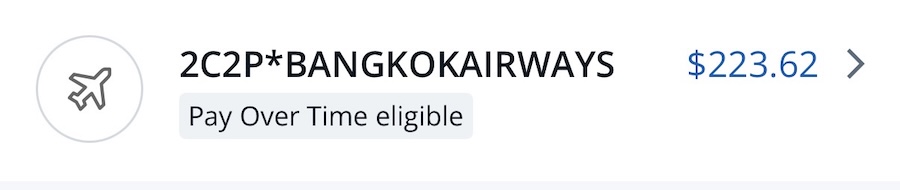
That makes the cost of purchasing the fare in US Dollars rather than Thai Baht via the Bangkok Airways site ~4.5% more expensive.
With that kind of markup you could probably pay in Thai Baht using a card that charges foreign transaction fees and still come out paying less!
Tip: Always pay in the local currency on the Bangkok Airways website (and on any other airline/hotel/car rental site for that matter) as if you let the merchant do the currency conversion, you’ll pay for it.
Bottom line
If you’re booking a flight with Bangkok Airways keep three things in mind.
If your payment fails and you’re paying with a Visa card, try a Mastercard. That may work better.
If you abandon your cart and the price has risen when you redo your search just moments later, wait for a while and the price may well come back down.
Never, ever, use a merchant’s currency conversion. It’s always nmch more expensive than paying in the foreign currency with a card that doesn’t charge a foreign transaction fee and it’s probably even going to be more expensive than paying with a card that does charge a foreign transaction fee.
Featured image courtesy of Bangkok Airways











Same with Eastarjet (Korea) multiple Visa cards failed. The Mastercard one worked first time.