


TravelingForMiles.com may receive commission from card issuers. Some or all of the card offers that appear on TravelingForMiles.com are from advertisers and may impact how and where card products appear on the site. TravelingForMiles.com does not include all card companies or all available card offers.
Last year, I reported that I was having very odd issues with the Priority Pass membership that I hold courtesy of my Ritz-Carlton credit card.
One of my authorised users couldn’t get their Priority Pass membership card to show in the Priority Pass app and the other, Joanna, was turned away from a Priority Pass lounge after being told that her membership cards were not valid (she had a physical card and a digital card).
A couple of phone calls to Priority Pass and Chase didn’t really clear things up except to confirm that the Priority Pass memberships of both of my authorised users had been “accidentally deleted” and that there was an issue getting their memberships restored.
Well, since then a couple of things have happened.
- I’ve discovered that even if you have just one Priority Pass membership you can (somehow) end up with more than one Priority Pass membership number (that causes issues!) and …
- I’ve discovered that even if your physical Priority Pass card and your digital Priority Pass card aren’t working, if you have a Priority Pass membership courtesy of a Chase credit card, there’s a way to generate a completely new digital Priority Pass membership card that should solve your problem.
So, if you’re in a similar position to my authorized users and don’t have a functioning Priority Pass card because Chase and/or Priority Pass have screwed up somewhere along the line, here’s a basic, step-by-step guide showing you how to generate a Priority Pass membership card which should work.
Generate a new Priority Pass card from the Chase app
Note: The steps below are for iOS/iPhone users. I assume, however, that most of the steps will be similar for Android users (I don’t see why they wouldn’t be) so Android users should still be able to follow along.
Step 1 – Open the Chase App (you’ll never complete a simpler step in your life!)
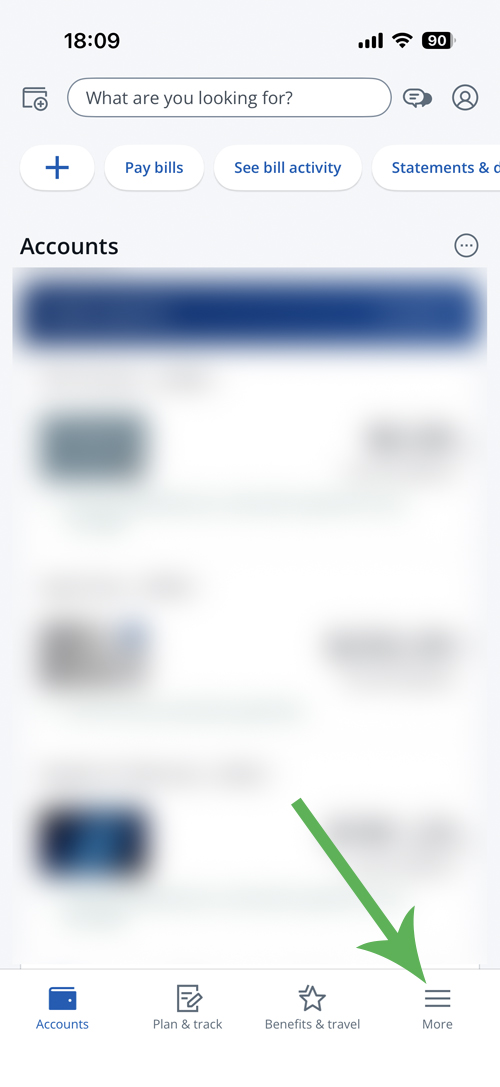
Step 2 – A the bottom of your Chase homepage (the screen showing all your Chase credit cards), tap on the “More” icon.
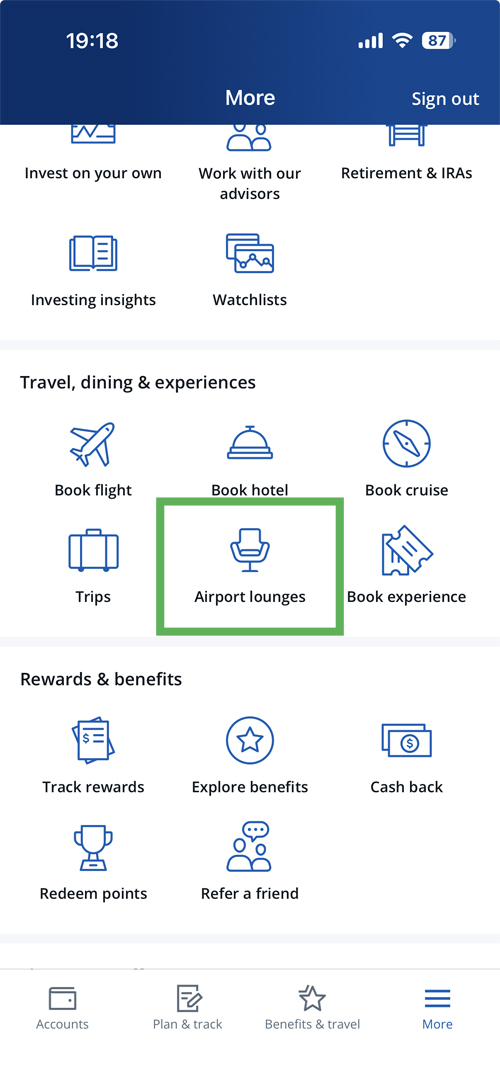
Step 3 – On page that you now see, scroll down to the “Travel, dining & experiences” section and tap on “Airport lounges”.
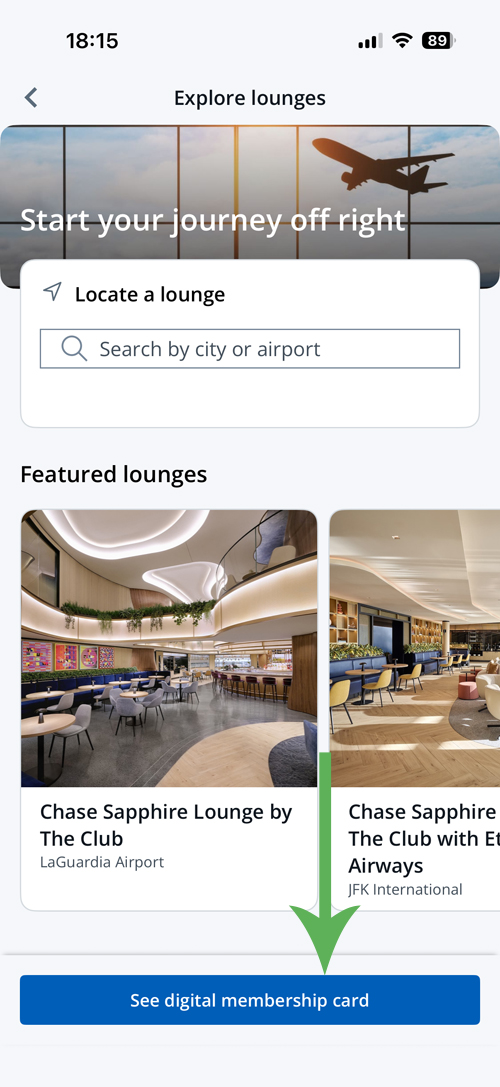
Step 4 – On this page (which will probably have a header reading “start your journey off right”), you should see a “see digital membership card” button at the bottom of the screen. Tap that to see your card.
Step 5 – You should now be on a screen showing your Priority Pass Card complete with QR code and below it, there should be links to any of your authorized users who also have Priority Pass memberships though your card.
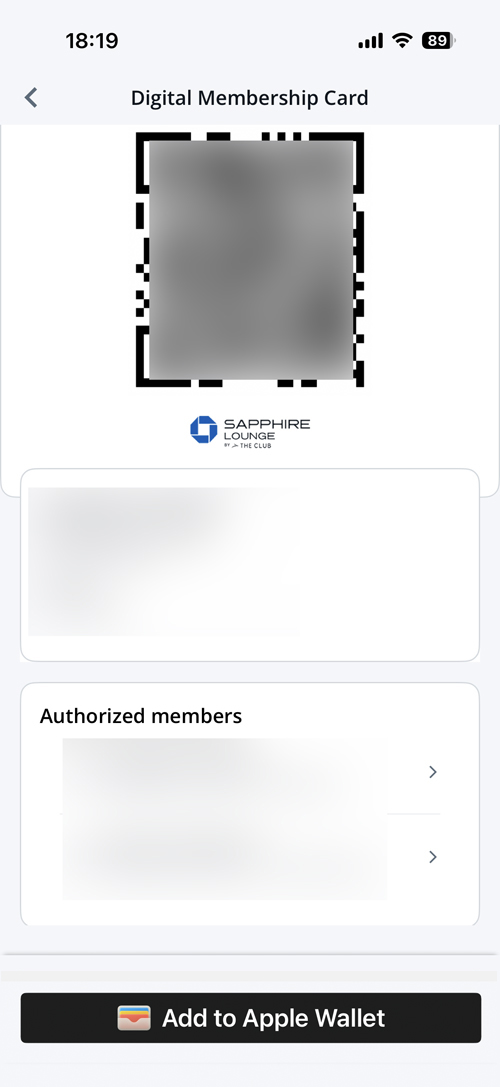
At the bottom of the screen, iOS users should see an “add to Apple Wallet” button (presumably Android users will see something similar relating to their digital wallet).
Tap on this button to get your Priority Pass card into your digital wallet and then click on “add” to make sure that it stays there.
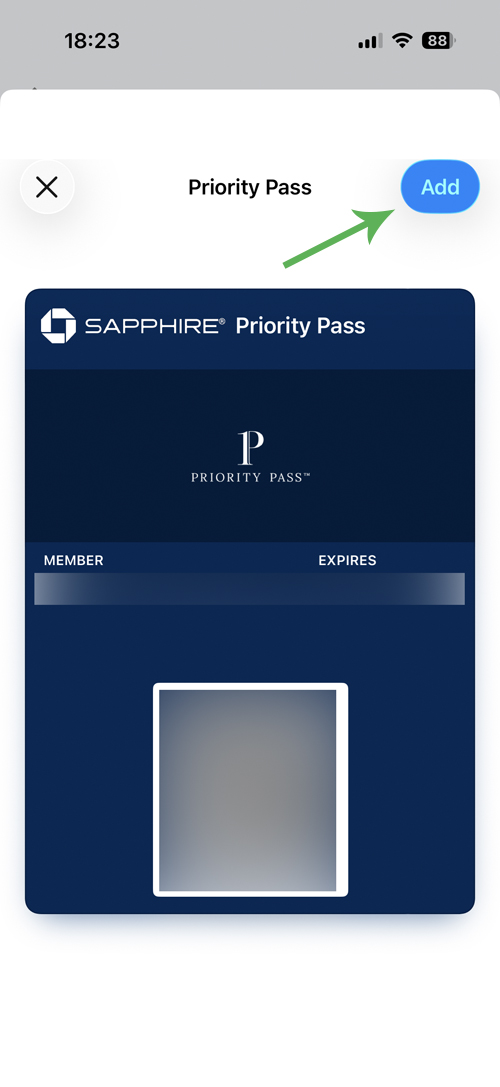
And there you have it. That should be a working Priority Pass membership card that works even if your physical card and the digital card in your Priority Pass app don’t work.
You can do the same for your authorised users if they’re having trouble with their memberships.
Go back to the screen in the Chase app which shows your authorised users under your Priority Pass card then:
- Tap the authorised user’s name to reveal their Priority Pass card complete with QR code.
- Add it to your phone’s wallet
- Then share the pass from your wallet to the relevant authorised user
To share the pass from an iPhone, click the share symbol at the top of the screen displaying the pass …
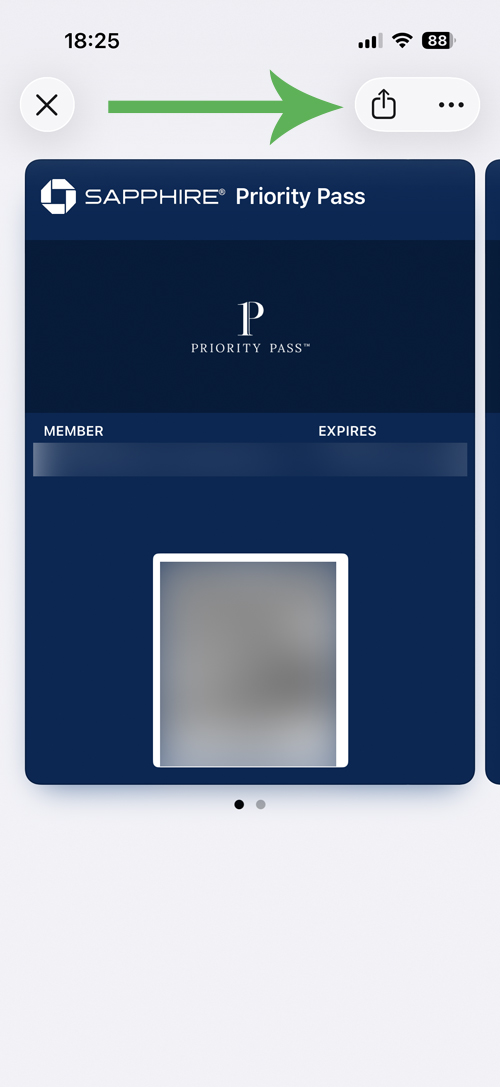
… then choose how you’d like to share the card with your authorised user (iMessage, Mail, WhatsApp etc…).
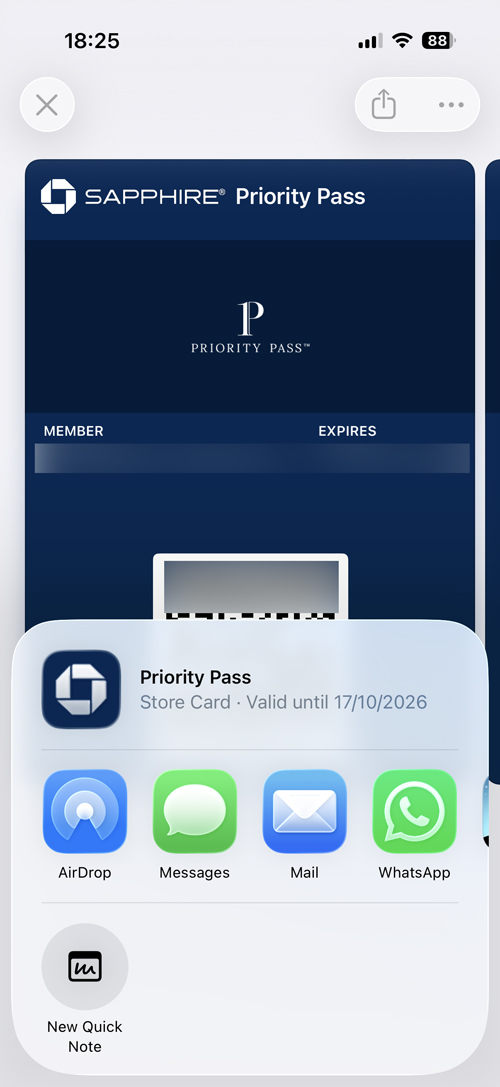
I issued both of my authorized users with new Priority Pass membership cards using the process above and bth have been able to use the new cards without issues.
To reiterate, this is a workaround for people whose Priority Pass memberships should be working, but are not (probably thanks to incompetence on the part of Chase and/or Priority Pass.
This isn’t a magical way to conjure up a new Priority Pass membership card if your membership has run out 🙂
Has anyone else been having similar issues to me? If you have, have things been resolved?















Perfect timing with this. Was just dreading a call to Chase to find AU cards. Cheers!